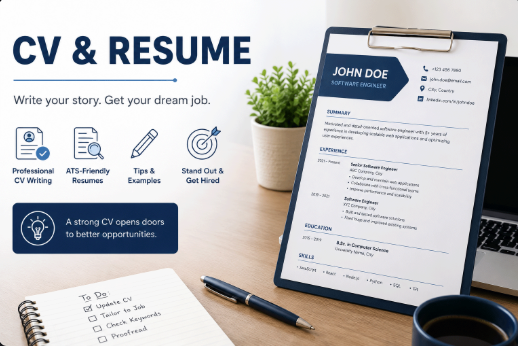

A CV summary is a short positioning statement. It should explain what the candidate does, what strengths are relevant, and what type of role the CV supports.
Keep it specific
A useful summary names the role area, years or level when appropriate, key skills, and one practical outcome. Generic phrases such as hard working or passionate are weaker than concrete strengths.
Use a safe example pattern
For a sample candidate: “Detail-oriented administrative assistant with experience organizing documents, coordinating schedules, and supporting customer communication.” This avoids private data while showing structure.
Connect it to the job
Adjust the summary for the role. A support job needs service, communication, and issue tracking language, while a developer role needs technologies, product work, and problem solving.
Keep it short
Two to four lines are usually enough. If the summary becomes a full biography, move the details into experience bullets or projects.
Step-by-step workflow before applying
Before sending a resume, cover letter, or job application message, treat the content as a complete review workflow. The goal is a document that is clear, accurate, privacy-safe, and aligned with the role.
- Read the job description and mark three to five skills you truly have.
- Adjust the summary and skills for the role without changing the facts.
- Compare dates and titles across your resume and professional profiles.
- Remove personal data that employers do not need at the first stage.
- Save a separate copy for each application so you know what was sent.
Detailed quality checklist
Strong career content is not only a design problem. Every section should help the reader understand the candidate value faster and with less uncertainty.
- Use clear verbs such as organized, improved, supported, analyzed, delivered, and coordinated.
- Connect responsibilities to outcomes, processes, tools, or teams when possible.
- Place tools and technologies in context instead of relying on a long unexplained list.
- Keep the tone professional and consistent across English, Arabic, or Turkish versions.
- Reread the content to catch repeated, heavy, or vague sentences.
Common mistakes to avoid
Many weak applications fail because they are generic, overloaded with keywords, or too casual with private information. A careful final review protects both credibility and privacy.
- Do not use real personal data in SEO examples or public sample articles.
- Do not repeat the same paragraph unchanged across the resume, cover letter, and email.
- Do not hide important skills inside images only.
- Do not exaggerate language, tool, or technology levels.
- Do not send files with unprofessional names or old drafts by mistake.
How Profile Echo helps
Profile Echo helps organize profile and resume information in a reusable structure. You can create one strong base, then adapt it for each opportunity while keeping the career story consistent.
- Collect career details once and update them when they change.
- Use free resume content as a structured starting point.
- Review role keywords before exporting or sharing the final version.
- Use fictional examples while learning, then replace them with accurate details.
Final review before sharing
Before sharing a resume, article, or profile link, spend a few minutes on the final review. This improves how the content appears in Google, social previews, and employer-facing pages.
- Confirm that the title and description describe the page clearly.
- Open the link on mobile and desktop to check text and image previews.
- Make sure public images do not contain private information.
- Test the language, links, and dates before publishing.