
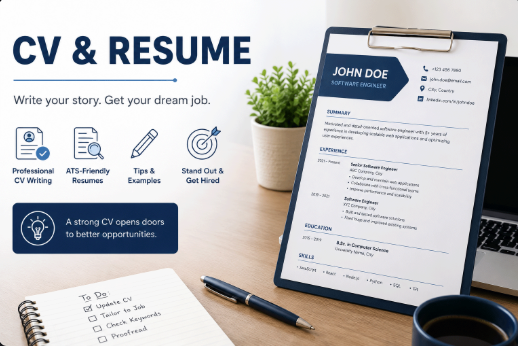
ATS-Friendly CV: How to Optimize Your CV for Job Applications
Writing a professional CV is not only about making it look beautiful. In many modern hiring processes, your CV may first pass through an Applicant Tracking System, also known as ATS, before it reaches a recruiter. This means your CV should be clear, structured, keyword-aware, and easy to scan by both software and humans.
This article supports our main guide on how to create a professional CV in English by focusing on one important part of the process: making your CV more suitable for online job applications. A strong CV should not only describe your background; it should also help employers quickly understand why you match the position.
What Is an ATS-Friendly CV?
An ATS-friendly CV is a CV written and formatted in a way that makes it easy for recruitment systems to read, classify, and compare with a job description. These systems usually scan your CV for information such as your work experience, education, skills, job titles, dates, and relevant keywords.
This does not mean you should write only for software. The best CV is written for two audiences at the same time: the system that reads and organizes the application, and the recruiter or hiring manager who decides whether you deserve an interview.
Why ATS Optimization Matters
Many companies receive a large number of applications for each role. To manage this process, they often use recruitment platforms that filter, sort, or organize CVs before a human review. If your CV uses unclear formatting, missing keywords, or confusing section names, important information may not be recognized correctly.
ATS optimization helps your CV communicate your value more clearly. It improves readability, makes your experience easier to understand, and increases the chance that your most relevant qualifications are noticed.
Use a Simple and Clean CV Format
A common mistake is thinking that a creative CV design is always better. In reality, many online applications work better with simple layouts. A clean CV with clear headings, readable fonts, and organized sections is usually more effective than a heavily designed document with many graphics.
Use a simple structure such as:
Contact Information
Professional Summary
Work Experience
Education
Skills
Projects
Certifications
Languages
Avoid placing important information inside images, icons, tables, or decorative elements. These may look attractive, but they can make the content harder to read for automated systems.
Choose Standard Section Headings
ATS tools and recruiters both work better with familiar section names. Instead of using creative headings such as “My Journey” or “What I Bring,” use direct headings like “Work Experience,” “Education,” “Skills,” and “Projects.”
Standard headings reduce confusion. They help the reader find the information quickly and make your CV look more professional.
Read the Job Description Carefully
Before editing your CV, read the job description line by line. Identify the most important requirements, tools, technologies, responsibilities, and soft skills. These words give you a clear idea of what the employer is looking for.
For example, if a job description mentions Laravel, REST APIs, MySQL, Docker, and Git, and you have real experience with these tools, they should appear naturally in your CV. Do not hide important skills inside long paragraphs. Make them visible in your summary, experience, skills, or projects sections.
Use Keywords Naturally
Keywords are important, but they must be used honestly. Do not copy the entire job description into your CV. Instead, include relevant terms that match your real experience.
For example, instead of writing:
Responsible for backend work.
Write:
Developed REST APIs using Laravel and MySQL to support user authentication, profile management, and admin dashboard features.
The second version is stronger because it includes tools, responsibilities, and context. It is also easier for both ATS systems and recruiters to understand.
Write Strong Experience Bullet Points
Your work experience should not read like a job description. It should show what you actually did and what value you created. Start bullet points with action verbs and include tools, tasks, and results whenever possible.
Weak example:
Worked on company website.
Helped with database.
Fixed bugs.
Stronger example:
Developed and maintained backend features using PHP, Laravel, and MySQL.
Improved database queries to reduce page loading time and support higher traffic.
Fixed production bugs and collaborated with the team to improve system stability.
Strong bullet points make your CV more convincing because they describe real work in a specific way.
Add Numbers When Possible
Numbers make achievements easier to understand. You do not need to exaggerate or invent results. Use numbers only when they are true and useful.
Examples:
Built an admin dashboard used by 5 internal departments.
Improved API response time by 30% through query optimization.
Managed content migration for more than 1,000 records.
Supported a platform serving thousands of monthly users.
If you do not have exact numbers, you can still write clearly by explaining scope, responsibility, or impact.
Keep the Design Professional
A professional CV does not need too many colors, icons, or decorative shapes. Use enough spacing, consistent font sizes, and clear alignment. The goal is to make the CV easy to read in a short time.
For online applications, a simple one-column CV is often safer. Two-column templates can work well visually, but some systems may read them in the wrong order. If you use a two-column design, test the exported file by copying its text into a plain text editor. If the order looks broken, simplify the layout.
Use the Right File Type
Many job applications accept PDF or Word files. PDF is usually good for preserving design, while Word may be preferred by some systems. Always follow the instructions in the job post. If the company asks for a specific format, use that format.
Use a clear file name, such as:
Adnan_Mehrat_Backend_Developer_CV.pdf
A clean file name looks professional and helps recruiters identify your application easily.
Do Not Overload the CV With Keywords
Keyword stuffing is a bad practice. A CV full of repeated keywords without real context looks weak and unprofessional. Recruiters can quickly notice when a CV is written only to pass a system.
Use keywords inside meaningful sentences. Each keyword should be connected to real experience, a project, a skill, or a certification.
Tailor Your CV for Each Job
One general CV is not enough for every application. You do not need to rewrite everything from zero, but you should adjust the professional summary, skills, and selected experience points based on the job.
For example, a backend developer role may require more focus on APIs, databases, performance, and server-side architecture. A full stack role may require more balance between frontend, backend, integration, and deployment experience.
ATS-Friendly CV Checklist
Before sending your CV, review this checklist:
Does the CV use clear and standard section headings?
Are the most important job-related keywords included naturally?
Is the formatting simple and easy to read?
Are work experience points specific and achievement-focused?
Are tools, technologies, and responsibilities clearly mentioned?
Is the CV free from spelling and grammar mistakes?
Is the file name professional?
Does the CV match the job description without exaggeration?
Common ATS CV Mistakes
Some CV mistakes can reduce your chances even if you have good experience. Avoid these issues:
Using too many graphics or icons for important information.
Writing vague bullet points without tools, tasks, or results.
Using unusual section names that confuse the reader.
Sending the same CV to every job without tailoring it.
Adding skills that you cannot explain in an interview.
Using long paragraphs instead of readable bullet points.
Example of an ATS-Friendly Professional Summary
Here is a simple example for a software developer CV:
Backend-focused Full Stack Developer with experience building scalable web applications using PHP, Laravel, Node.js, MySQL, and REST APIs. Skilled in database design, API development, performance optimization, and clean code practices. Experienced in working with production systems, debugging issues, and collaborating with teams to deliver reliable software solutions.
This summary works because it is specific, keyword-aware, and easy to understand. It tells the recruiter what the candidate does, which technologies they use, and what kind of value they bring.
Final Thoughts
An ATS-friendly CV is not about tricking software. It is about writing your professional story in a clear, structured, and relevant way. When your CV uses the right keywords, clean formatting, and strong experience points, it becomes easier for both systems and people to understand your qualifications.
After learning how to create a professional CV in English, the next step is to optimize it for real job applications. A good CV should be readable, honest, targeted, and focused on the value you can bring to the employer.