AR EN TR
Latest

How to Create a Professional CV ?

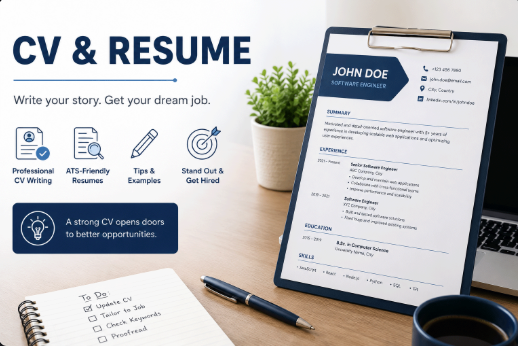
Learn how to create a clear, professional, and ATS-friendly English CV with the right structure, strong wording, practical examples, and a complete CV template.

Jun 12, 2026
How to Create a Professional CV ?

How to Create a Professional CV in English

Creating a professional CV in English is one of the most important steps when applying for jobs, internships, scholarships, freelance projects, or international opportunities. A strong CV does not simply list your education and work history. It presents your experience in a clear, organized, and convincing way so that recruiters can quickly understand who you are, what you can do, and why you are suitable for the role.

Many people think that writing a CV in English means translating their existing CV word by word. This is a common mistake. A good English CV should follow a professional structure, use clear language, focus on achievements, and match the type of position you are applying for. It should be easy to read for both human recruiters and Applicant Tracking Systems, also known as ATS.

In this article, you will learn how to create a professional CV in English step by step. You will also find practical examples, common mistakes to avoid, and a ready-to-use CV template that you can adapt to your own career.

What Is a CV in English?

A CV, or Curriculum Vitae, is a document that summarizes your professional profile, work experience, education, skills, certificates, projects, and contact information. In many countries, the word CV is used for job applications in general. In some places, especially in the United States, the word resume is more common for a short job application document, while CV may refer to a longer academic document.

For most job seekers, students, developers, engineers, designers, business graduates, and professionals, an English CV should usually be a concise document focused on relevance. The goal is not to include every detail of your life. The goal is to show the employer that your background matches the job requirements.

Before You Start: Understand the Purpose of Your CV

Before writing your CV, you should define the target clearly. A CV for a software developer role is different from a CV for a sales role, an academic scholarship, or a design position. The structure may look similar, but the keywords, examples, and priorities should change.

Ask yourself these questions before writing:

  • What type of job am I applying for?

  • Which skills does the employer mention in the job description?

  • Which of my experiences are most relevant to this role?

  • What achievements prove that I can do this work?

  • Which projects, tools, certificates, or languages strengthen my application?

A professional CV is not a static document that you send everywhere without changes. You should adjust it for each role by highlighting the most relevant experience, skills, and achievements.

The Best Structure for a Professional English CV

A clear structure makes your CV easier to read and easier to scan. Recruiters usually spend limited time reviewing each application, so your CV should help them find important information quickly.

A strong English CV usually includes the following sections:

  1. Contact Information

  2. Professional Title

  3. Professional Summary

  4. Work Experience

  5. Projects

  6. Education

  7. Technical Skills

  8. Soft Skills

  9. Certificates

  10. Languages

  11. Optional Sections

You do not need to include every section if it does not apply to you. For example, a fresh graduate may focus more on education, projects, internships, and skills. An experienced professional should give more space to work experience and achievements.

1. Contact Information

Your contact information should appear at the top of the CV. Keep it clean, professional, and easy to copy. Do not overload this section with unnecessary personal details.

Recommended contact details:

  • Full name

  • Professional email address

  • Phone number with country code

  • City and country

  • LinkedIn profile

  • Portfolio, GitHub, personal website, or digital profile link if relevant

Example:

Adnan Mehrat
Back-End Focused Full Stack Developer
Istanbul, Türkiye
adnan@example.com | +90 555 000 0000
LinkedIn: linkedin.com/in/adnanmehrat
Portfolio: example.com

Avoid adding sensitive or unnecessary information unless it is required in your country or by the employer. In most international applications, you do not need to include marital status, national ID number, full home address, or religion.

2. Professional Title

Your professional title is a short line that tells the recruiter what you do. It should be specific and aligned with your target role.

Weak examples:

  • Worker

  • Employee

  • Computer Engineer

  • Looking for a job

Better examples:

  • Junior Front-End Developer

  • Back-End Focused Full Stack Developer

  • Mechanical Engineer with Renewable Energy Background

  • Data Analyst with SQL and Power BI Experience

  • Marketing Specialist with Social Media Campaign Experience

Your title should help the recruiter understand your direction immediately. If you are applying for different types of roles, change the title to match each application.

3. Professional Summary

The professional summary is a short paragraph at the beginning of your CV. It should explain your background, main skills, experience level, and value. This section is especially useful for experienced professionals, career changers, and people applying internationally.

A good summary should be between three and five lines. It should not be generic. Avoid phrases such as “hard-working person looking for a challenging opportunity” because they do not show specific value.

Weak summary:

I am a hard-working and motivated person looking for a good job where I can improve myself and help the company.

Better summary:

Back-end focused full stack developer with experience building web applications, REST APIs, database-driven systems, and admin dashboards using PHP, Laravel, Node.js, MySQL, and MongoDB. Skilled in designing scalable features, improving performance, and working with cross-functional teams to deliver practical software solutions.

The second version is stronger because it includes the role, technologies, experience area, and practical value.

4. Work Experience

The work experience section is usually the most important part of a professional CV. It should show what you did, where you worked, when you worked there, and what results you achieved.

Use reverse chronological order, starting with your most recent job. Each job entry should include:

  • Job title

  • Company name

  • Location or remote status

  • Employment dates

  • Three to six bullet points explaining your responsibilities and achievements

Example structure:

Back-End Developer
ABC Software Company — Istanbul, Türkiye
March 2022 – Present

- Developed and maintained REST APIs using Laravel and MySQL for internal business systems.
- Improved database query performance by optimizing indexes and reducing repeated queries.
- Built admin dashboard features for managing users, reports, permissions, and content.
- Collaborated with front-end developers to integrate APIs with Vue.js components.
- Fixed production bugs and improved system reliability through better validation and logging.

How to Write Strong Bullet Points

Weak bullet points describe tasks only. Strong bullet points show action, tools, and impact. A useful formula is:

Action verb + task + tool/skill + result or purpose

Weak example:

- Responsible for website development.

Better example:

- Developed responsive website pages using HTML, CSS, JavaScript, and Laravel Blade to improve user experience and content management.

Strong action verbs include developed, designed, implemented, improved, optimized, managed, coordinated, analyzed, automated, created, maintained, integrated, migrated, tested, resolved, and documented.

5. Projects

The projects section is very important for students, fresh graduates, developers, designers, engineers, and career changers. Projects prove your practical ability, especially when you do not have much formal work experience.

Each project should include:

  • Project name

  • Short description

  • Technologies or tools used

  • Your role

  • Link to GitHub, demo, portfolio, or case study if available

Example:

Profile Management Platform
Personal Project

- Built a multilingual digital profile platform that helps users organize CV information, experience, skills, projects, certificates, and contact links.
- Developed the back-end using Laravel and MySQL with admin management features.
- Designed reusable templates for displaying professional profiles and portfolio pages.
- Technologies: Laravel, PHP, MySQL, Blade, Tailwind CSS

Do not simply list project names. Explain what the project does and what you contributed. Employers are interested in your practical thinking, not only the title of the project.

6. Education

The education section should include your degree, university, location, and graduation date or expected graduation date. If you are a student or fresh graduate, you can include relevant coursework, graduation projects, academic achievements, or research topics.

Example:

Bachelor of Computer Engineering
Ondokuz Mayıs University — Samsun, Türkiye
2016 – 2020

Relevant coursework: Data Structures, Algorithms, Database Systems, Operating Systems, Software Engineering

If you have many years of work experience, keep the education section shorter. Your professional experience should take more space.

7. Skills

The skills section should be clear and relevant. Avoid writing every tool you have ever heard of. Focus on skills that you can actually use and explain in an interview.

For technical roles, it is better to group skills by category:

Programming Languages: PHP, JavaScript, TypeScript, Python
Back-End: Laravel, Node.js, REST APIs, Authentication, MVC
Front-End: Vue.js, Next.js, HTML, CSS, Tailwind CSS
Databases: MySQL, PostgreSQL, MongoDB
Tools: Git, Docker, Linux, Nginx, GitHub Actions

For non-technical roles, you can group skills like this:

Marketing: Campaign Planning, Content Strategy, Social Media Management
Analysis: Excel, Google Analytics, Reporting, Market Research
Communication: Client Communication, Presentation, Negotiation
Tools: Canva, Trello, Notion, Meta Business Suite

Avoid visual skill bars such as “PHP 90%” or “English 75%”. They look attractive but are not precise and may not be useful for ATS. Plain text skills are usually clearer and easier to parse.

8. Certificates and Courses

Certificates can strengthen your CV, especially when they are relevant to the role. Include the certificate name, organization, and date if available.

Example:

Developing on AWS — Amazon Web Services, 2024
Secure Software Development — Bilginç IT Academy, 2023
Test Driven Development Workshop — 2023

Do not add too many unrelated certificates. A short list of relevant certificates is stronger than a long list that distracts the reader.

9. Languages

Language skills are important for international applications. Write the language and your level clearly. You can use simple descriptions such as Native, Fluent, Professional Working Proficiency, Intermediate, or Basic.

Example:

Arabic: Native
Turkish: Fluent
English: Professional working proficiency

Be honest about your language level. If the job requires English communication, the employer may test your speaking, writing, or interview skills.

10. Optional Sections

Depending on your background, you may add optional sections such as:

  • Publications

  • Research experience

  • Volunteer work

  • Open-source contributions

  • Awards

  • Professional memberships

  • Portfolio links

Only include optional sections when they support your application. A CV should be focused, not crowded.

How Long Should an English CV Be?

For many job applications, one page is enough for students, fresh graduates, and early-career professionals. Two pages can be acceptable for experienced professionals with several years of relevant work experience, multiple projects, publications, or technical achievements.

The important point is not only length. The important point is relevance. A two-page CV full of useful, targeted information is better than a one-page CV that is too vague. At the same time, a long CV with repeated or unrelated details can weaken your application.

How to Make Your CV ATS-Friendly

Many companies use Applicant Tracking Systems to manage applications. These systems may scan your CV, extract information, and compare your profile with the job description. This does not mean you should write only for machines. Your CV should be readable for both ATS software and human recruiters.

To create an ATS-friendly CV:

  • Use a clean layout with standard section headings.

  • Use plain text for important information such as skills and job titles.

  • Include relevant keywords from the job description naturally.

  • Avoid placing important text inside images.

  • Avoid complex tables, unusual icons, and excessive design elements.

  • Use common file formats such as PDF unless the employer requests another format.

  • Use clear job titles and technology names.

ATS optimization should never mean keyword stuffing. Do not repeat keywords unnaturally. Instead, use the same professional language that appears in the job description when it honestly matches your experience.

English Wording Tips for a Strong CV

English CV writing should be direct, professional, and active. Use short sentences and strong verbs. Avoid long paragraphs and emotional language.

Use Action Verbs

Start bullet points with action verbs:

  • Developed

  • Designed

  • Implemented

  • Improved

  • Managed

  • Optimized

  • Created

  • Analyzed

  • Automated

  • Resolved

Avoid Weak Phrases

Replace weak phrases with more specific language:

Weak: I was responsible for the database.
Better: Designed and maintained MySQL database tables, relationships, and queries for a web application.

Weak: Worked on many projects.
Better: Developed multiple Laravel-based web applications, including admin dashboards, CRUD modules, and REST API integrations.

Weak: Good communication skills.
Better: Coordinated with developers, designers, and stakeholders to clarify requirements and deliver features on time.

Be Specific

Numbers make your CV stronger when they are real and relevant. You can mention users, performance improvements, project size, team size, revenue, time saved, or number of features delivered.

Examples:

- Reduced report generation time by optimizing database queries and caching repeated calculations.
- Built a dashboard used by internal teams to manage users, content, and permissions.
- Developed 20+ reusable components for a multilingual web application.

If you do not have exact numbers, you can still describe the result clearly without inventing data.

Common Mistakes to Avoid

Many CVs fail because they are unclear, too generic, or poorly formatted. Avoid these mistakes:

  • Using the same CV for every job without customization.

  • Writing long paragraphs instead of bullet points.

  • Adding irrelevant personal details.

  • Using an unprofessional email address.

  • Listing skills you cannot explain in an interview.

  • Using too many colors, icons, and design elements.

  • Writing duties only without achievements or impact.

  • Making grammar and spelling mistakes.

  • Adding outdated or unrelated experience without context.

  • Forgetting to include important links such as LinkedIn, portfolio, or GitHub when relevant.

Should You Add a Photo to Your English CV?

This depends on the country, industry, and employer. In some countries, CV photos are common. In others, they are discouraged to reduce bias. If you are applying internationally, check the expectations of the target country and company. If a photo is not required, it is usually safer to focus on your experience, skills, and portfolio.

If you add a photo, use a professional image with a simple background. Avoid casual selfies, heavy filters, or cropped group photos.

How to Customize Your CV for Each Job

Customizing your CV does not mean rewriting everything. It means adjusting the most important parts so they match the job better.

Follow this simple process:

  1. Read the job description carefully.

  2. Highlight required skills, tools, responsibilities, and qualifications.

  3. Update your professional title and summary to match the role.

  4. Move the most relevant experience and projects higher.

  5. Use matching keywords naturally in your skills and bullet points.

  6. Remove details that do not support the application.

For example, if you are applying for a Laravel Developer role, your CV should clearly show Laravel, PHP, REST APIs, MySQL, authentication, MVC, testing, Git, and deployment experience if you have them. If you are applying for a Data Analyst role, the same CV should focus more on SQL, Excel, Power BI, Python, reporting, dashboards, and business analysis.

English CV Template

You can use the following template as a starting point:

[Full Name]
[Professional Title]
[City, Country] | [Phone] | [Email]
[LinkedIn] | [Portfolio/GitHub/Website]

Professional Summary
[Write 3–5 lines about your experience, main skills, tools, and value. Focus on the target job.]

Work Experience
[Job Title]
[Company Name] — [Location]
[Month Year – Month Year]
- [Action verb + responsibility + tool/skill + result]

Projects
[Project Name]
- [Short description of the project and your role]
- [Technologies/tools used]
- [Result, purpose, or link]

Education
[Degree Name]
[University Name] — [Location]
[Years]

Skills
Programming/Technical Skills: [List relevant skills]
Tools: [List relevant tools]
Soft Skills: [List relevant soft skills]

Certificates
[Certificate Name] — [Organization], [Year]

Languages
[Language]: [Level]
[Language]: [Level]

Final CV Checklist

Before sending your CV, review it carefully using this checklist:

  • Is the CV written in clear and professional English?

  • Does the professional title match the job?

  • Is the summary specific and useful?

  • Are the most relevant skills easy to find?

  • Do work experience bullet points start with strong action verbs?

  • Are projects explained clearly with technologies and outcomes?

  • Is the formatting clean and consistent?

  • Is the CV ATS-friendly?

  • Are there any grammar or spelling mistakes?

  • Are email, phone number, and links correct?

Conclusion

A professional English CV should be clear, focused, and relevant to the job you want. It should not be a simple translation of your old CV. It should present your background in a way that recruiters can understand quickly and confidently.

Start with a clean structure, write a specific professional summary, use strong bullet points, organize your skills clearly, and customize your CV for each application. Whether you are a student, fresh graduate, developer, engineer, designer, or experienced professional, a well-written English CV can help you make a stronger first impression and increase your chances of getting interviews.

Finally, remember that your CV is only one part of your professional presence. A complete LinkedIn profile, portfolio, GitHub account, personal website, or digital profile can support your CV and give employers a deeper view of your work, projects, and achievements.